
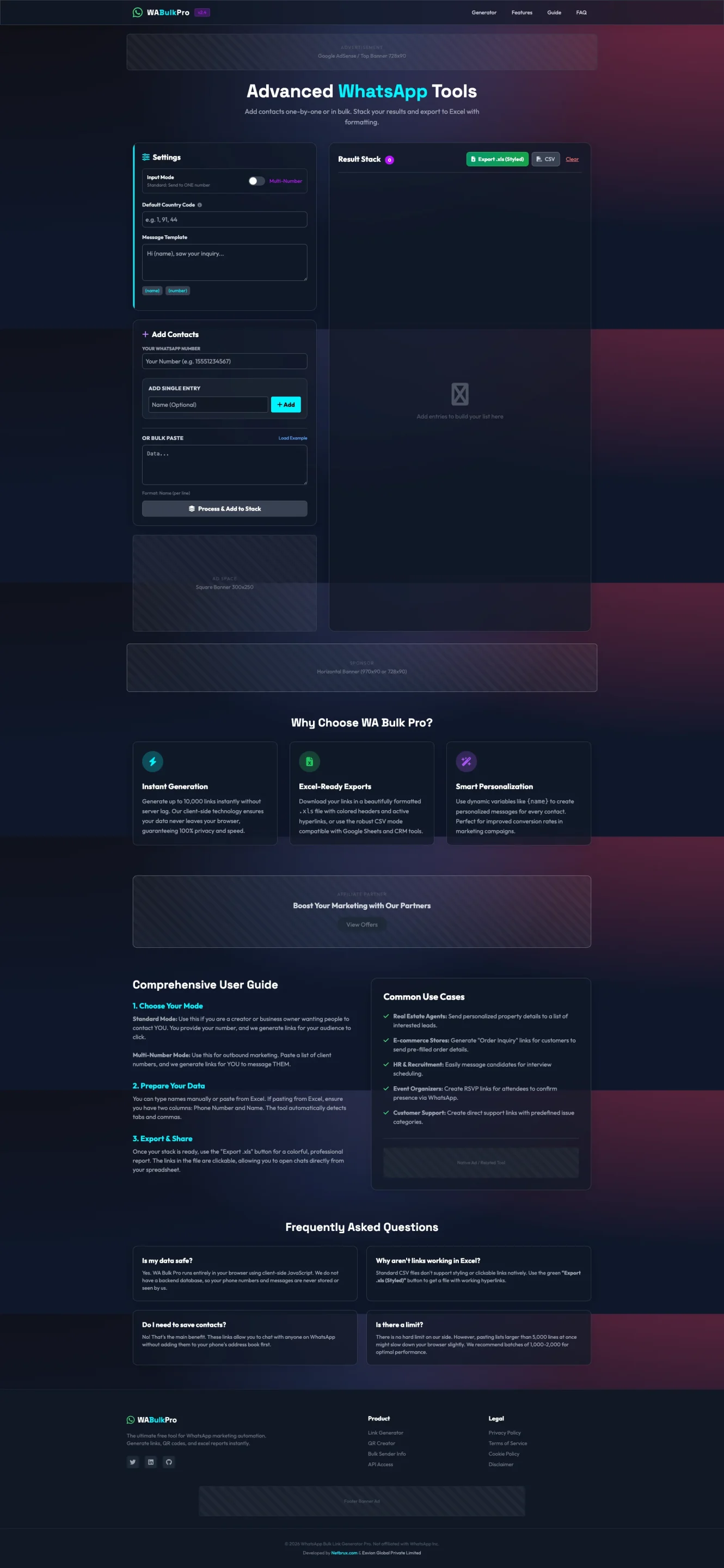
WhatsApp Bulk Link Generator Pro – Resell Rights Included
Instantly generate thousands of WhatsApp contact links—personalized, formatted, and ready for outreach, CRM import, or marketing campaigns. No server, no database, no risk. Everything runs client-side for maximum privacy and speed.
What This Tool Does
WhatsApp Bulk Link Generator Pro lets you create clickable WhatsApp message links in single-entry mode or multi-number bulk mode. It processes thousands of numbers, formats them, attaches a custom message, and outputs a clean Excel/CSV file with headers, colored formatting, and hyperlinked WhatsApp URLs.
Perfect for creators, agencies, real-estate teams, HR recruiters, e-commerce sellers, and businesses running WhatsApp-based outreach.
Key Features
✔ Instant Bulk Generation (Up to 10,000 Links)
Generate massive batches within seconds—directly in your browser.
No uploads, no backend, no data stored.
✔ Multi-Mode System
-
Single Number Mode: Enter one number at a time.
-
Multi-Number Mode: Paste full lists (Excel, CRM exports, Google Sheets).
The system automatically detects Phone Numbers + Names.
✔ Excel-Ready Exports
Download your results as a beautifully formatted .xlsx file, including:
-
Clickable WhatsApp links
-
Colored headers
-
Pre-filled messages
-
Clean table formatting
Also exports CSV for CRM imports.
✔ Smart Personalization
Use dynamic variables like {name} to generate personalized WhatsApp messages for each recipient.
Boost message response rates dramatically.
✔ Built-In “Result Stack”
A modern panel that stacks all processed entries.
You can continue adding batches and export everything at once.
Why Choose WhatsApp Bulk Link Generator Pro?
⚡ Instant Processing
Generates thousands of links without strain. Everything is client-side, ensuring privacy.
📊 Excel-Perfect Output
Hyperlinked sheets compatible with Excel, Google Sheets & CRM platforms.
🎯 Ideal for Marketing & Outreach
Personalized message support + bulk mode makes it ideal for promotions, reminders, onboarding, follow-ups, and customer support workflows.
Common Use Cases
✓ Real Estate
Send property details to thousands of leads with personalized intros.
✓ E-commerce Stores
Generate “Order Inquiry” WhatsApp links for faster customer support.
✓ HR / Recruiting
Message candidates in bulk for interview scheduling.
✓ Event Organizers
RSVP message links for event confirmations.
✓ Customer Support Teams
Generate category-wise WhatsApp support links.
Comprehensive User Guide (As Displayed in UI)
1. Choose Your Mode
Select Single or Multi-number mode based on how many entries you need to generate.
2. Prepare Your Data
Paste numbers manually or import from Excel.
Use two columns: Phone Number and Name.
The tool auto-detects formatting.
3. Export & Share
Use “Export XLS (Styled)” for a professionally formatted spreadsheet or basic CSV.
FAQ Highlights
Is my data safe?
Yes. 100% local-processing. Nothing leaves your browser.
Do I need to save contacts?
No. That’s the main benefit: message anyone on WhatsApp without saving their contact.
Why aren’t links clickable in Excel?
Standard CSV doesn’t support hyperlinks. Use XLS Styled for clickable links.
Is there a limit?
No fixed limit. But pasting >5,000 entries may slow your browser.
Recommended: 1,000–2,000 per batch.
Resell Rights Included
With your purchase, you get full Resell Rights, allowing you to:
-
Sell the tool under your own branding
-
Keep 100% of your revenue
-
Add to bundles, toolkits, memberships, PLR shops, and agency packages
-
Offer to clients as part of digital marketing services
High-demand niche + evergreen WhatsApp usage = guaranteed resale value.
If you’d like the short sales page version, landing-page copy, or mockups bundle description, just upload the next screenshot!